
Sleepa | The sleep app that uses AI to help you understand your Apple Watch sleep data
Does this sound familiar?
Not sure whether you’re really sleeping?
Are you left to judge it by feel alone?
Trouble falling asleep, waking up in the night, still tired in the morning.
Even when sleep is on your mind, it isn’t easy to judge how well you actually slept by feel alone.
With Sleepa, you can check your sleep objectively every day, based on data measured by your Apple Watch.
What you can do with Sleepa
Record. Understand. Reflect.
Not just recording your sleep, but analyzing it, looking back on it, and understanding it.
Sleepa is a sleep analysis app that brings together everything you need to take a closer look at your sleep every day.
Record
Records your Apple Watch sleep data.
Understand
AI explains what your sleep data shows.
Reflect
See how your sleep changes day to day.
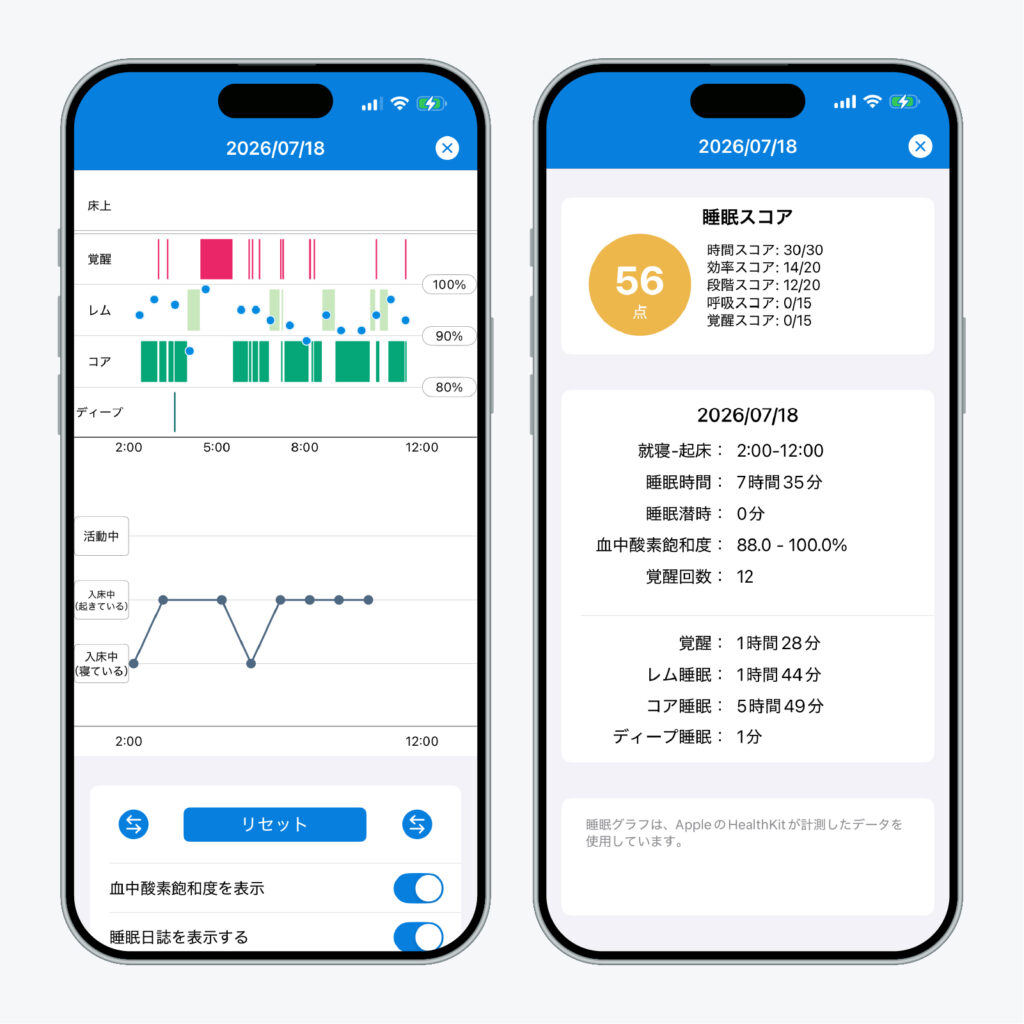
Sleep Score
See each night’s sleep
at a glance.
Sleepa clearly displays the data measured by your Apple Watch, such as how long and how deeply you slept.
Check it together with your sleep score to review each night’s sleep at a glance.
By comparing it with your usual sleep data, you can also spot changes from your normal pattern.
*The sleep graph uses data from Apple’s HealthKit.
▼Main data recorded
Sleep duration / Sleep score / Awake / REM / Core / Deep / Blood oxygen
Sleepa analyzes trends in the sleep data measured by your Apple Watch, and AI explains them in plain language.
AI that helps you understand your sleep data
Your sleep data,
made easier to understand.
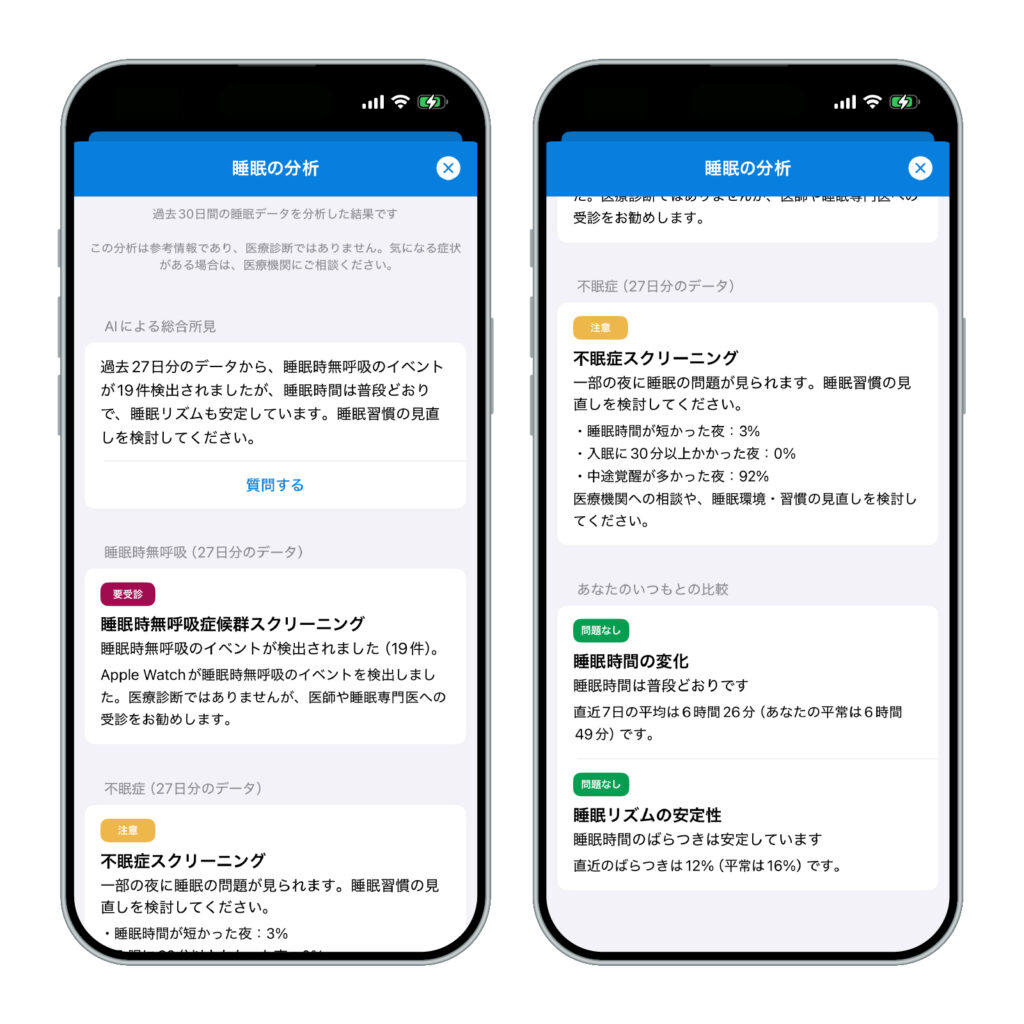
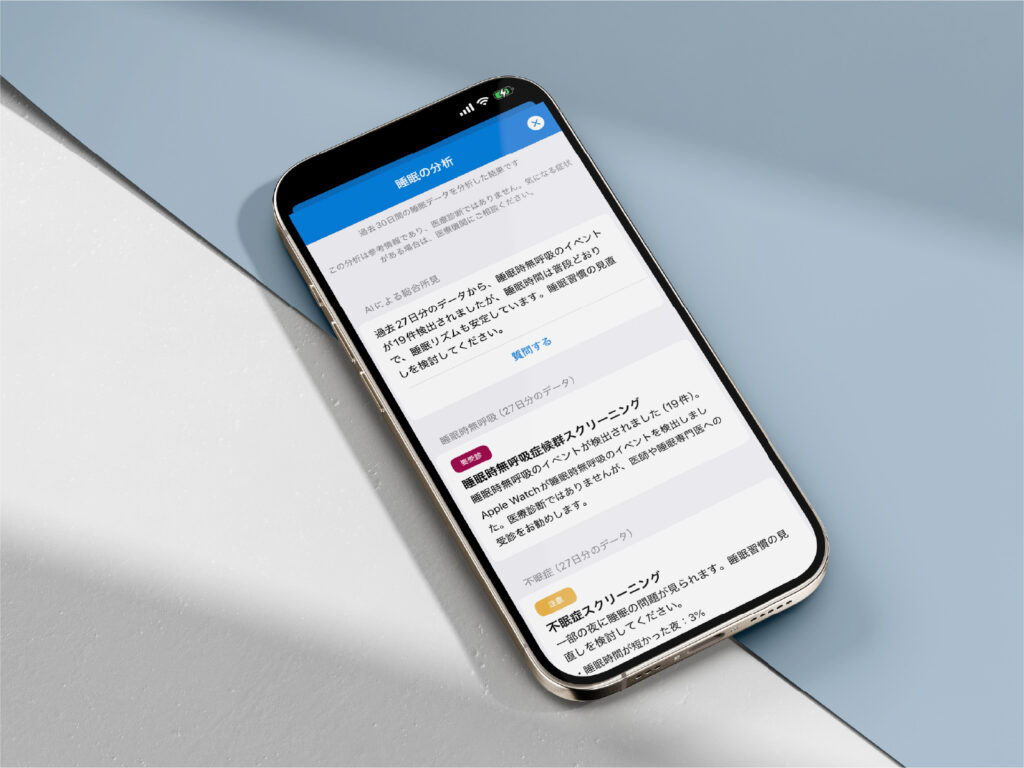
Sleepa analyzes your Apple Watch sleep data from the last 30 days, looking for possible signs of sleep apnea and insomnia and comparing it with your usual sleep.
AI on your iPhone then sums up the results in clear, plain language.
Learning about sleep patterns and changes that are hard to spot in the numbers alone helps you understand your own sleep more deeply.
✓ AI summary of your sleep trends
✓ Clear explanations of your sleep patterns
✓ Read-aloud for AI summaries
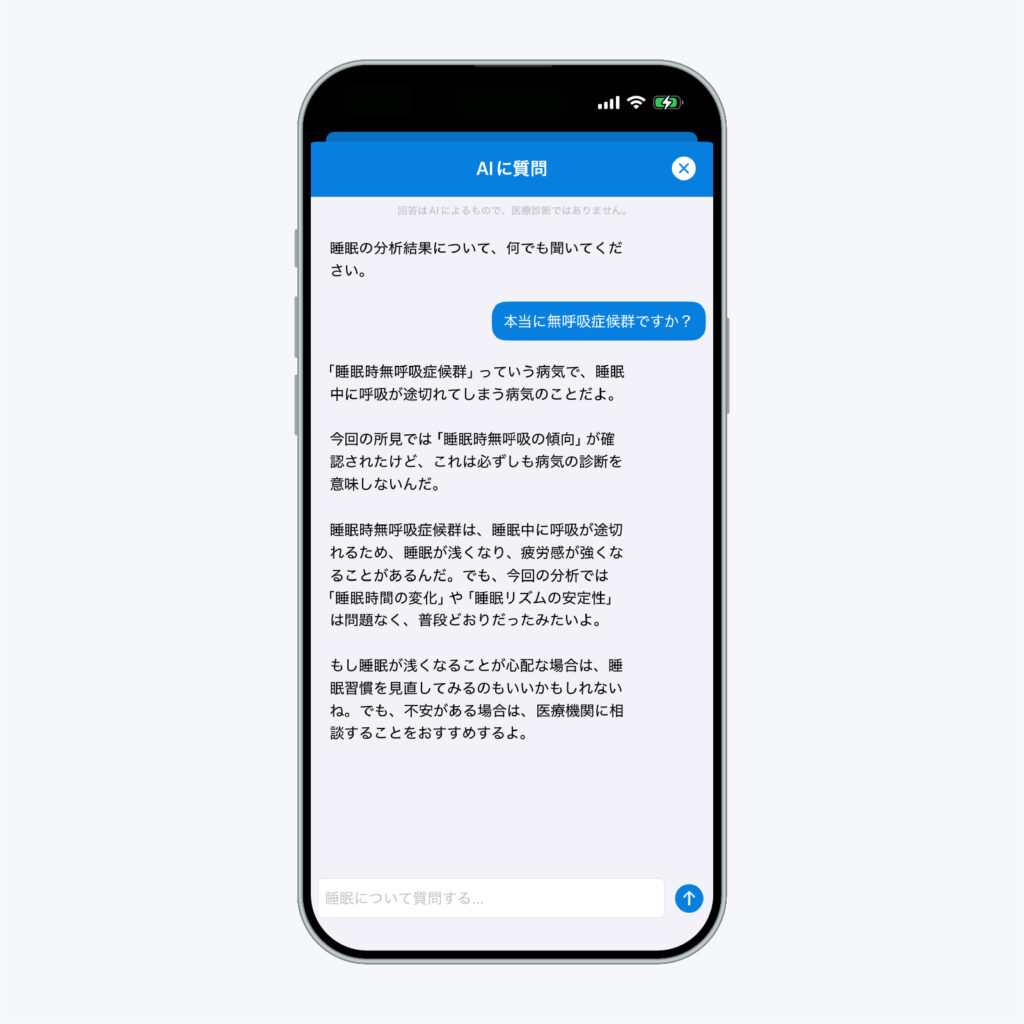
Ask the AI about your analysis
Curious about something?
Just ask the AI.
If anything in your AI sleep analysis catches your eye or isn’t clear, you can ask the AI about it.
As you deepen your understanding of the results, you’ll learn more about your own sleep.
*Answers are AI-generated and are not a medical diagnosis.
*AI summaries and chat run on your iPhone with Apple Intelligence and require an iPhone that supports Apple Intelligence.
Record how your sleep felt in the Sleep Journal
Your own sense of your sleep,
side by side with the data.
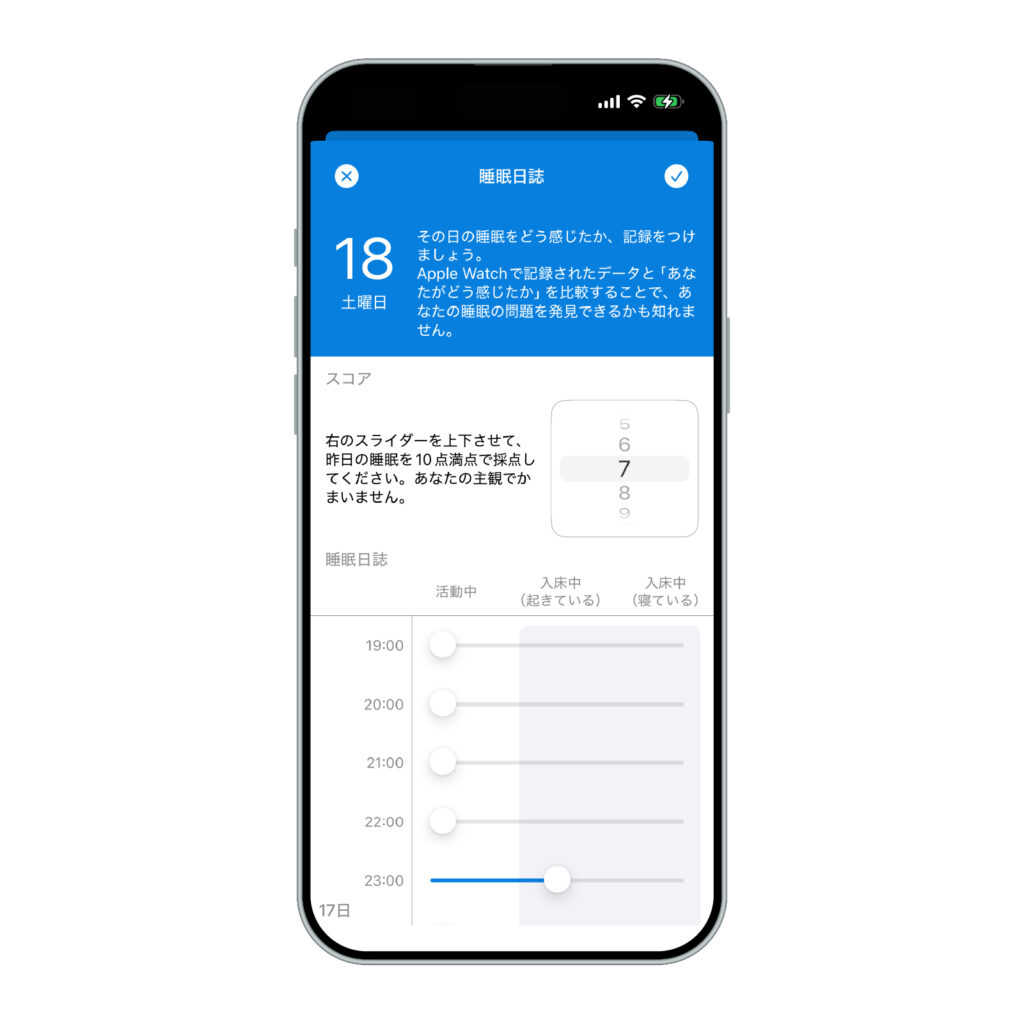
In the Sleep Journal, rate last night’s sleep on a scale of 1 to 10 and mark each hour from 7 p.m. to 6 p.m. the next day as active, in bed awake, or in bed asleep.
Show your journal on the same timeline as your Apple Watch sleep graph and compare the two yourself.
This can make it easier to notice when you actually slept even though you felt you didn’t (sleep state misperception).
Measured with Apple Watch
Your everyday sleep, recorded as it is.
Sleepa automatically imports the sleep data measured by your Apple Watch.
No special steps are needed, so recording and analyzing your sleep every day is easy.
*Requires an iPhone with iOS 26 or later and an Apple Watch (Series 6 or later).
01
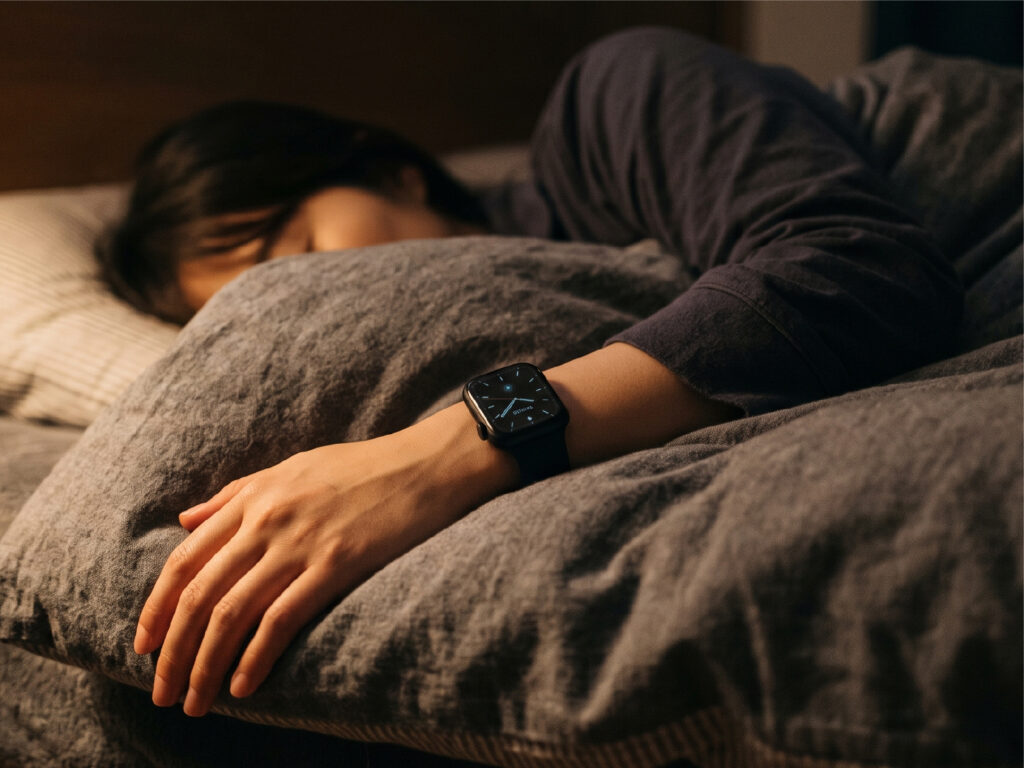
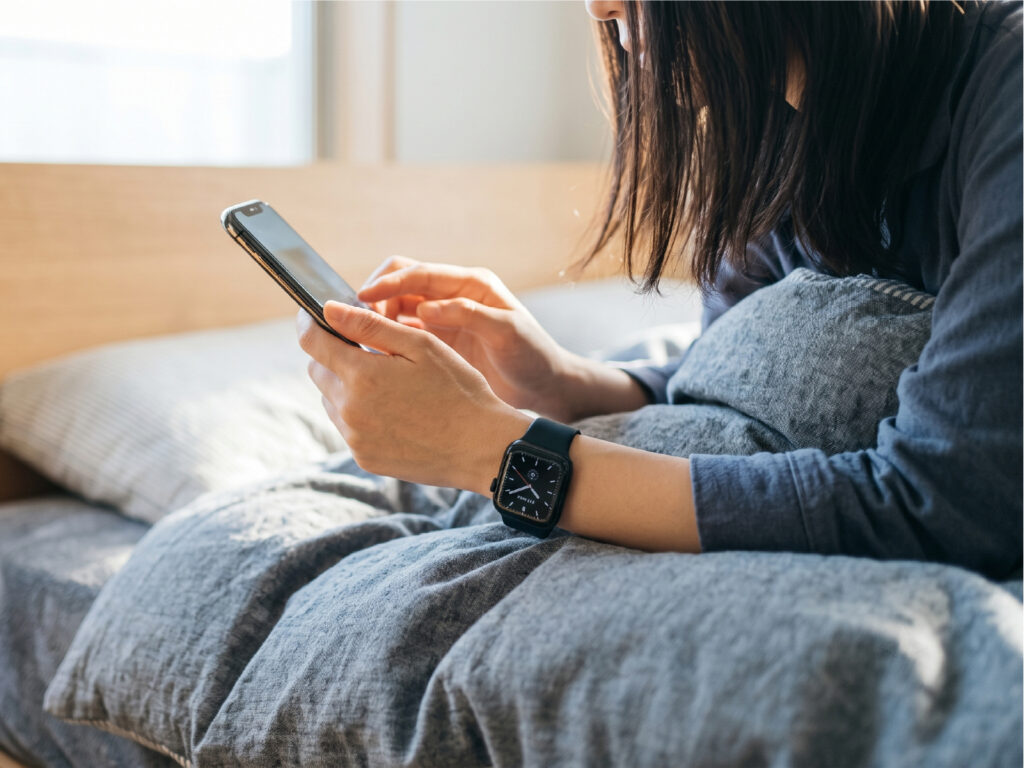
Sleep wearing your Apple Watch
02
Open Sleepa in the morning
03
Analyze your sleep
Why we created Sleepa
Sleep is hard to judge by feel alone. Data can make it easier to understand.
Even when you feel you haven’t slept, there can be a gap between that feeling and your actual sleep data.
We wanted to show you your sleep, which is hard to grasp by feel alone, more clearly through objective data and AI sleep analysis.
That is why we created Sleepa.
Drawing on medical expertise and technology, we aim to offer an app that helps you understand your sleep better as you record it every day.
Physician-Supervised
Developed under physician supervision,
so you can use it with confidence.
Sleepa is developed under the supervision of a physician.
It is an app you can rely on, designed to make your sleep data part of everyday life.
Director, Kimura Medical Clinic
Supervised by Dr. Norihisa Kimura
Clinical Associate Professor, Tohoku University School of Medicine
Head of Kishokai Medical Corporation
B.S. in Physics, Faculty of Science, The University of Tokyo
Certified Physician, Japanese Society of Sleep Research
A board-certified neurologist with many years of clinical experience.
He supervises this app based on his medical expertise.
*This app does not provide a diagnosis.

Column
Learn more about sleep and Sleepa.
 How accurate is Apple Watch sleep tracking? What Apple’s validation data shows about its strengths and limits
 What are Apple Watch sleep apnea notifications? — how they work, supported models, accuracy, and what to do if you get one
 Apple Watch sleep tracking not working? What to check when your sleep, sleep stages, naps or Sleep Score don’t show up
 Low Apple Watch Sleep Score this morning? What to check, and how to find the reason in the breakdown
 Lots of Core sleep on your Apple Watch? Why more than half Core is normal, and what to look at instead
 Can an Apple Watch help with insomnia? What sleep tracking can and can’t tell you, and what Sleepa adds
 What the Health app doesn’t tell you about your Apple Watch sleep data — 5 things Sleepa adds
 How much of each sleep stage is normal on Apple Watch? What the stages mean and what good sleep looks like
 How to read your Apple Watch Sleep Score — what decides it, what’s average, and can you get 100?
 Lots of “Awake” in your Apple Watch sleep data? What’s typical and when to worry
 What causes insomnia? Its types, how common each is, and the anxiety at its root
 Not much Deep sleep on your Apple Watch? What it means and what you can do
Download
Understand your sleep
more deeply and clearly.
Review the sleep data from your Apple Watch
together with AI sleep analysis and your sleep journal.
Why not record your sleep every day
and get to know it better?

*Requires an iPhone with iOS 26 or later and an Apple Watch (Series 6 or later).
Before you use Sleepa
• This app is not a medical device.
• Analysis results are for reference only and are not a medical diagnosis.
• If you have symptoms that concern you or are worried about your sleep, please consult a healthcare professional.
• The sleep graph uses data from Apple’s HealthKit.
• Requires an iPhone with iOS 26 or later and an Apple Watch (Series 6 or later). AI summaries and chat require an iPhone that supports Apple Intelligence.
• All features are free for 7 days after you first open the app. After that, a paid plan is required to keep using them. You will not be charged automatically.